
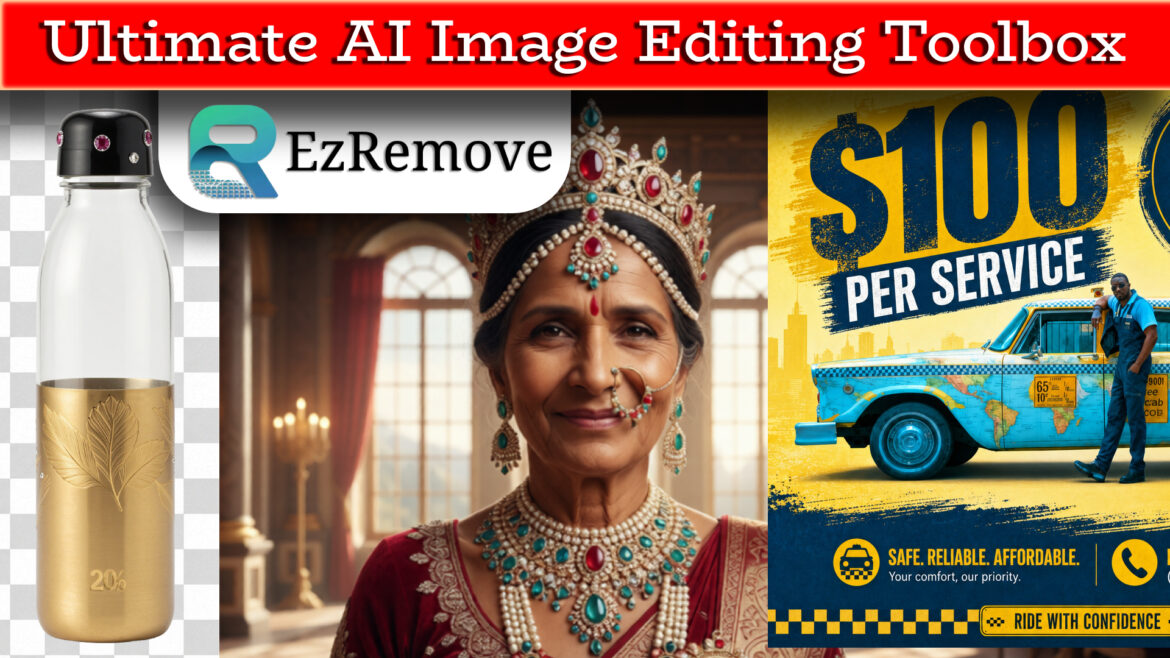

EzRemove AI Tutorial: How to Remove Background, Enhance, Edit, and Redesign Images Like a Pro
In today’s fast-paced digital age, content creators, e-commerce sellers, and designers are constantly seeking ways to streamline their workflows. If you have been juggling multiple websites to edit your photos—switching between one platform for background removal, another for image enhancement, and a third for interior design mockups—it is time to stop right now. There is a much more efficient approach to handle your creative tasks: EzRemove AI.
By utilizing this comprehensive, all-in-one platform, you can consolidate all these tasks into a single, high-performance workflow. For a deep dive into how you can transform your images in seconds, please view the complete video tutorial “Discover the Power of EzRemove: The Ultimate AI Image Editing Toolbox” for detailed, step-by-step instructions. Subscribe EzRemove AI here @ Discounted Prices
The Ultimate All-in-One AI Toolbox
EzRemove AI acts as a centralized “toolbox” that brings various complex image editing tasks under one roof, completely eliminating the need to hop between different services. Rather than requiring professional design skills or complex traditional software, it provides beginner-friendly, intuitive tools that allow you to retouch, enhance, and transform images in seconds, saving you valuable time and effort.
Core Features and Capabilities
As demonstrated in the tutorial, EzRemove AI provides a vast array of specialized utilities. Whether you are a professional e-commerce seller, a social media influencer, or a casual content creator, you can utilize the following core features:
-
Advanced Background Removal & Management
One of the core features of EzRemove AI is its high-precision background removal. The platform uses advanced smart AI to automatically detect and isolate subjects, flawlessly removing complex backgrounds while handling fine details like hair strands with clean edge detection.
- Easily remove or change the photo background to any color (like white for product listings) or switch to a customized background image.
- Generate transparent PNG cutouts ready for product shots, profile pics, or quick social graphics.
-
Intelligent Object and Text Removal
Visual distractions like unwanted people, clutter, messy edges, watermarks, or text can ruin an otherwise perfect shot.
- With the Magic Eraser, object remover, and text removal tools, you can seamlessly erase these elements.
- The AI intelligently reconstructs the background, making the final result look natural, clean, and polished without extra manual cleanup.
-
AI-Powered Image Enhancement
Many creators have to work with low-quality photos suffering from motion blur, low lighting, or poor resolution. EzRemove AI includes dedicated enhancement tools:
- AI Image Upscaler (HD Photo Converter): Increases image resolution while preserving essential details.
- Photo Restoration & Sharpening: Improves image clarity, unblurs text or faces, and sharpens photos that would otherwise be completely unusable.
-
Beyond Basic Editing: Home & Space Interior Design Utilities
What truly sets EzRemove AI apart and makes it highly versatile is its inclusion of home interior tools. Beyond standard photo cleanup and editing, the platform offers specific creative utilities like AI Room Design, AI Interior Design, and AI Home Design. These features allow users to explore unique creative possibilities, helping to bridge the gap between simple image editing and complex visual spatial layout planning.
Advanced AI Integration
The entire platform is powered by highly advanced, cutting-edge AI models to ensure top-tier, professional results across various editing tasks. These integrated models include:
- Nano Banana & Nano Banana Pro
- Seedream 4.0
- GPT Image 2.0
Why You Should Switch to EzRemove AI
Adopting an all-in-one AI tool offers several key competitive advantages for your professional, marketing, and creative projects:
- Efficiency and Speed: Tasks that once took hours of meticulous manual masking and clipping paths in traditional software can now be completed automatically in just a few seconds.
- Accessibility for Beginners: You do not need to be an expert designer or master complex command shortcuts to achieve professional-grade results. The user-friendly, menu-driven interface makes powerful technology completely accessible to everyone.
- Consistency: Using a single, centralized platform helps you easily maintain a cohesive and consistent visual style across your social media posts, online storefront marketing graphics, and product listings.
- Cost-Effectiveness: By reducing the need for multiple web platform subscriptions or hiring external editing services, you can drastically minimize production costs while scaling up your creative content output.
Conclusion
EzRemove AI acts as a powerful, robust assistant that removes technical barriers to creativity. Whether you are quickly retouching everyday photos, prepping e-commerce inventory assets, or designing spaces, this toolbox delivers maximum impact with minimal effort.
To see these impressive features in action and understand how to integrate them seamlessly into your own daily design workflow, please view the video for a full breakdown video “Discover the Power of EzRemove: The Ultimate AI Image Editing Toolbox” for detailed instructions. All website links and details can be found directly in the video description!
Subscribe EzRemove AI here @ Discounted Prices
Similar Article:
DeHome AI: 21 Design Tools for Interior, Exterior, & Architecture